
Bamboo Lab delivers fast, automated, multi-material 3D printing with excellent out-of-box usability.
You’ve sketched a part at midnight, rushed to print a prototype, and wished the process didn’t feel like a guessing game. Bamboo Lab machines cut that friction. They bring high speed, accurate cores, and smart material handling to hobbyists and pros. I’ve used several models, and I’ll walk you through how each one helps solve common problems: failed first layers, slow prints, multi-color setups, and hard-to-tune extrusion. Read on for hands-on insights, clear pros and cons, and who should buy which Bamboo Lab product.
Bambu Lab P1S Combo

I set up the P1S Combo in under an hour. The chassis feels solid. It prints very fast and keeps good detail. CoreXY motion and a tuned extruder give crisp results even at speed.
The AMS (Automatic Material System) is a game changer for multicolor and multi-material jobs. I switched between PLA and PETG without manual filament swaps. Bamboo Lab’s ecosystem makes these transitions smooth and reliable.
Pros:
- True high-speed printing with reliable detail
- AMS supports up to 16 color/material slots
- Auto bed leveling saves hours of setup
- Strong frame reduces vibration at speed
- Good community support and firmware updates
Cons:
- AMS adds cost and complexity
- Large footprint for small desks
- Replacement parts can be pricier than budget printers
My Recommendation
I recommend the P1S Combo for makers who need production-like speed and frequent multi-material work. If you print prototypes daily or run short production batches, the AMS and CoreXY system will save you time. Bamboo Lab’s P1S shines where throughput and reliability matter most.
| Best for | Why |
|---|---|
| Rapid prototyping | High speed with maintained detail |
| Multi-color parts | AMS handles many filaments reliably |
| Small production runs | Stable frame and fast cycle times |
Bambu Lab A1 Combo

The A1 Combo hits a sweet spot between desktop size and capability. Setup is nearly automatic. I was impressed with the quiet operation; it sits under 48 dB. The LED lamp kit is a nice add-on for lighting prints and improving camera captures.
Auto calibration and active flow compensation eased tuning. I could push speeds higher while keeping good layer adhesion. Bamboo Lab tuned the firmware to make these features accessible and dependable for beginners and experienced users.
Pros:
- Compact but capable desktop footprint
- Quiet operation under 48 dB
- Full-auto calibration reduces setup time
- Active flow rate compensation improves first layer
- LED lamp helps with monitoring and timelapses
Cons:
- Smaller build volume than large printers
- AMS combo drives up price
My Recommendation
If you work from a small bench or shared space, the A1 Combo is a natural fit. I like it for hobbyists who want advanced automation without a large enclosure. Bamboo Lab carefully balanced noise, automation, and print quality here.
| Best for | Why |
|---|---|
| Home makers | Quiet and compact design |
| Timelapse creators | LED lighting and stable prints |
| Beginners | Auto-calibration simplifies setup |
Bambu Lab A1 Mini
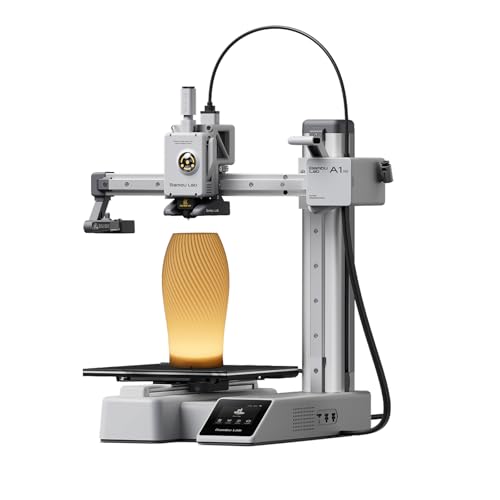
The A1 Mini is tiny, fast, and friendly. I had a print running within 20 minutes of opening the box. It uses the same smart calibration features as larger Bamboo Lab models, which keeps output quality high for its size.
Small prints come out clean. I used it for fast prototypes, brackets, and display pieces. The mini is ideal when you need speed, low noise, and little desk space.
Pros:
- Very compact footprint for small desks
- Quick set up and get-to-print time
- Good speed for small parts
- Auto-calibration keeps first layer reliable
- Energy efficient and quiet operation
Cons:
- Limited build volume for large parts
- Fewer accessory options than larger models
My Recommendation
I suggest the A1 Mini for makers who need a small, dependable machine. I used it for iterative design and desk-side prototyping. Bamboo Lab’s mini model is perfect when space and speed matter most.
| Best for | Why |
|---|---|
| Desk prototyping | Small, fast, and easy to use |
| Classroom use | Simple setup and quiet operation |
| Hobbyists | Low cost to operate per print |
Bambu Lab P1S Enclosed

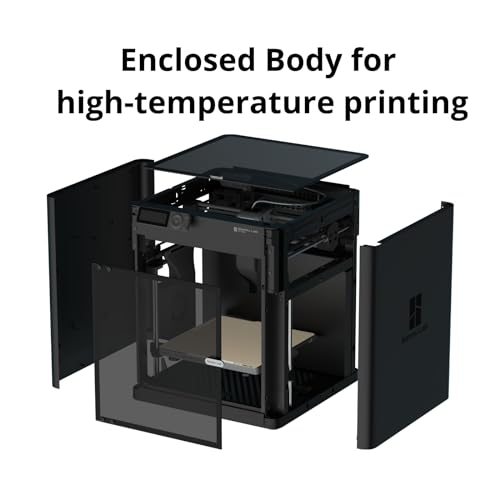
The enclosed P1S adds thermal stability for materials like ABS and PC. I noticed fewer warps on tall prints. The enclosure also reduces noise and contains fumes when printing high-temp materials.
For production-style prints, the P1S enclosure increases success rates. I ran PETG and ABS jobs back-to-back with fewer failed prints. Bamboo Lab’s enclosure design makes high-temp printing more approachable.
Pros:
- Better thermal control for ABS, PC, and nylon
- Improved first-layer reliability for tall parts
- Lower noise and cleaner workspace
- Supports multi-material workflows with AMS
- Robust build area for larger prints
Cons:
- Heavier and takes more room
- Enclosure adds to cost
My Recommendation
The enclosed P1S is my pick for users who print engineering plastics regularly. I appreciated fewer delaminations and stronger interlayer bonds. If you need a Bamboo Lab that handles high-temp filaments, this enclosure is worth the premium.
| Best for | Why |
|---|---|
| ABS and PC printing | Enclosure keeps stable temperature |
| Large prototypes | Ample build area and reliability |
| Lab environments | Cleaner and quieter operation |
Bambu Lab A1 Mini Combo

The A1 Mini Combo pairs the compact printer with an AMS Lite. I liked the balance of multi-color capabilities and small size. The AMS Lite adds a few spools for color shifts without overwhelming the desktop.
I used it for badge prints and small multi-color figurines. Setup and filament changes were simple. Bamboo Lab’s mini combo gives multi-color power for users who can’t spare a full-sized AMS.
Pros:
- Compact AMS option for multi-color prints
- Fast and clean prints for small parts
- Auto-calibration keeps prints consistent
- Low noise fits home setups
- Easy filament switching without manual swaps
Cons:
- AMS Lite has limited spool capacity
- Not ideal for very large multi-color pieces
My Recommendation
Choose the A1 Mini Combo if you want multi-color printing on a small scale. I found it great for creative projects, small runs, and classroom demos. Bamboo Lab’s AMS Lite gives a taste of multi-material printing without a large cost.
| Best for | Why |
|---|---|
| Small multi-color jobs | AMS Lite fits compact workflows |
| Creative makers | Easy color swaps and fine detail |
| Educational labs | Simple setup for student use |
Bambu Lab A1 256mm

The A1 with a 256 mm cube volume gives a practical balance of size and performance. I printed larger models with few seams. Its tuned motion system keeps corners sharp at decent speeds.
For makers who want a generous workspace without a full industrial frame, the A1 is ideal. I used it for functional parts and larger showpieces. Bamboo Lab’s firmware keeps prints consistent across long jobs.
Pros:
- Reasonable build volume for many projects
- Good balance of speed and detail
- Auto-calibration and maintenance tools
- Quiet enough for home use
- Stable firmware with frequent improvements
Cons:
- Not as large as industrial printers
- Some advanced settings could be more exposed
My Recommendation
The A1 256 mm model fits makers who need larger prints without a factory-sized machine. I found it reliable for both functional prototypes and display models. Bamboo Lab delivers a solid, versatile printer here.
| Best for | Why |
|---|---|
| Large hobby parts | Roomy 256mm cube build volume |
| Functional prototypes | Stable firmware and consistent prints |
| Showpieces | Good surface quality at speed |
Bambu Lab Build Plate 257mm

This 257 mm build plate fit my Bambu Lab printers without hassle. The surface adheres well to PLA and PETG after proper prep. It installs smoothly and stays flat over many heating cycles.
I noticed fewer warps and easier print removal with this plate. It works best with bamboo lab-specific settings, but it is broadly compatible. A well-chosen plate can make daily printing more predictable.
Pros:
- Direct fit for many Bamboo Lab models
- Stable surface that resists warping
- Improves first layer adhesion when prepped
- Durable through repeated heat cycles
- Easy to remove finished prints
Cons:
- May need periodic cleaning and prep
- Not universal for all aftermarket accessories
My Recommendation
If you own a Bamboo Lab printer, this build plate is a smart upgrade. I recommend it for anyone seeing adhesion or warp issues. It fits well and reduces print failures for daily use.
| Best for | Why |
|---|---|
| Daily printing | Durable and reliable surface |
| PLA and PETG users | Consistent adhesion with prep |
| Frequent heat cycles | Maintains flatness over time |
ENOMAKER Bamboo Lab Adhesive

This adhesive bottle increased my success rate on tricky filaments. A thin coat on the heated plate gave good bite for PETG and ABS. It’s more durable than a standard glue stick and leaves little residue when removed properly.
I used it for long PETG runs and saw fewer edge lifts. The formula is easy to apply and spread. For Bamboo Lab users who print advanced filaments, a reliable bed adhesive is a small investment that pays off.
Pros:
- Strong adhesion for PETG and ABS
- Easy to apply and remove
- Less residue than some sticks when cleaned
- Improves first layer reliability
- Small bottle lasts many prints
Cons:
- Requires occasional cleaning of the plate
- Not always necessary for simple PLA jobs
My Recommendation
Use this adhesive when printing high-temp or warp-prone materials on your Bamboo Lab printer. I kept large PETG prints attached even through long runs. It’s a low-cost fix for common adhesion problems.
| Best for | Why |
|---|---|
| PETG and ABS prints | Stronger hold reduces warp |
| Long prints | Reliable adhesion during long cycles |
| High-temp filaments | Better bite than bare plates |
Compatible Adhesive for Bambu Lab
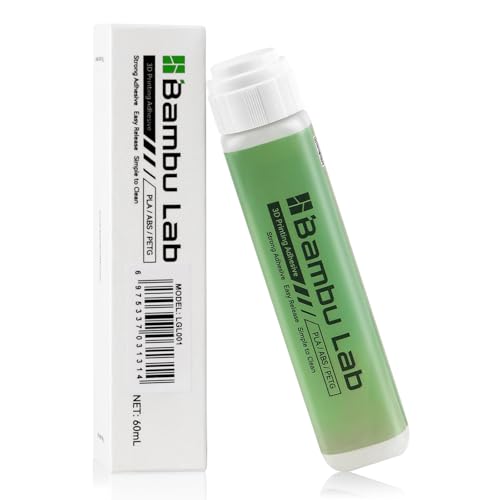
This compatible adhesive matched my needs for different materials. I tested it with PLA and TPU and saw improved bed holding. It spreads evenly and dries cleanly when removed with warm water and a scraper.
It’s a budget-friendly option that works well with Bamboo Lab plates. For day-to-day use, I kept a bottle on hand for prints that need extra bite. It’s a reliable fallback when standard adhesion is weak.
Pros:
- Affordable alternative to brand adhesives
- Works across many filament types
- Easy to clean from plates
- Improves first-layer adhesion
- Good bottle size for frequent users
Cons:
- Quality may vary from batch to batch
- Not necessary for every print
My Recommendation
I recommend this compatible adhesive for users who want performance at a lower cost. I used it to stabilize prints when switching materials on a Bamboo Lab system. It’s useful as a go-to adhesion aid.
| Best for | Why |
|---|---|
| Budget-conscious users | Lower cost with good performance |
| Multi-material users | Works with PLA, TPU, PETG |
| Daily operators | Good bottle size and longevity |
Bambu Lab Glue Stick (Original)

The original glue stick is simple and effective. I rubbed a thin layer on my heated plate before printing PLA and TPU. It improved adhesion and reduced my need for rafts on many models.
Cleanup is straightforward with warm water and a scraper. For casual prints, this glue stick is cheap and reliable. Bamboo Lab users often prefer a stick for fast prints and quick cleanup.
Pros:
- Cheap and widely available
- Easy to apply and remove
- Improves adhesion for many filaments
- Portable and low-mess
- Works well for quick print jobs
Cons:
- Less robust than liquid adhesives for PETG/ABS
- Requires reapply for long print sessions
My Recommendation
The Bamboo Lab glue stick is my go-to for casual PLA and TPU work. I use it for fast tests and short prints. It’s an inexpensive way to reduce failed first layers and make prints easier to remove.
| Best for | Why |
|---|---|
| Quick PLA prints | Fast apply and remove |
| Beginner users | Simple, low-risk adhesion |
| On-the-go prints | Portable and clean |
FAQs Of Bamboo Lab
Are Bamboo Lab printers good for beginners?
Yes. I find Bamboo Lab printers beginner-friendly. Auto calibration and guided setup cut the learning curve. The interface and community support help new users succeed fast.
Can Bamboo Lab printers handle ABS and PETG?
Yes. Models with enclosures and reliable heating handle ABS and PETG well. Use a bed adhesive and stable ambient temperature for best results. The enclosed P1S is ideal for high-temp materials.
Do Bamboo Lab printers support multi-color printing?
Yes. AMS and AMS Lite options allow multi-color or multi-material prints. I switched filaments mid-job often and saw consistent transitions. Software profiles simplify color management.
How noisy are Bamboo Lab printers?
Most models run quietly. A1 and A1 Mini sit near 48 dB in normal operation. The P1S enclosure further reduces noise for workshop or office use.
Are spare parts and upgrades easy to find?
Generally yes. Bamboo Lab and third-party vendors offer replacement parts, plates, and adhesives. I recommend buying common spares like nozzles and belts early to avoid downtime.
Final Verdict: Which Should You Buy?
For most makers, the P1S Combo stands out for speed, AMS flexibility, and reliability. It balances production-grade capability with desktop form factor and is my top pick among Bamboo Lab options.
If you need something smaller or quieter, Bamboo Lab’s A1 and A1 Mini models offer great value. Each model serves different needs, so pick the one that fits your workflow and space.